
How to reduce photo size for email
Last updated: 26 September 2026
Phone photos are often several megabytes each, so a handful of them can go over an email attachment limit. Gmail, for example, allows up to 25 MB of attachments in one email and sends anything larger as a Google Drive link instead. Smaller photos also send faster and are easier for the other person to open. Here is how to shrink them on your Android phone with PixPress.
The quickest way: the Email preset
- Open PixPress, tap Add Photos and pick the photos you want to send.
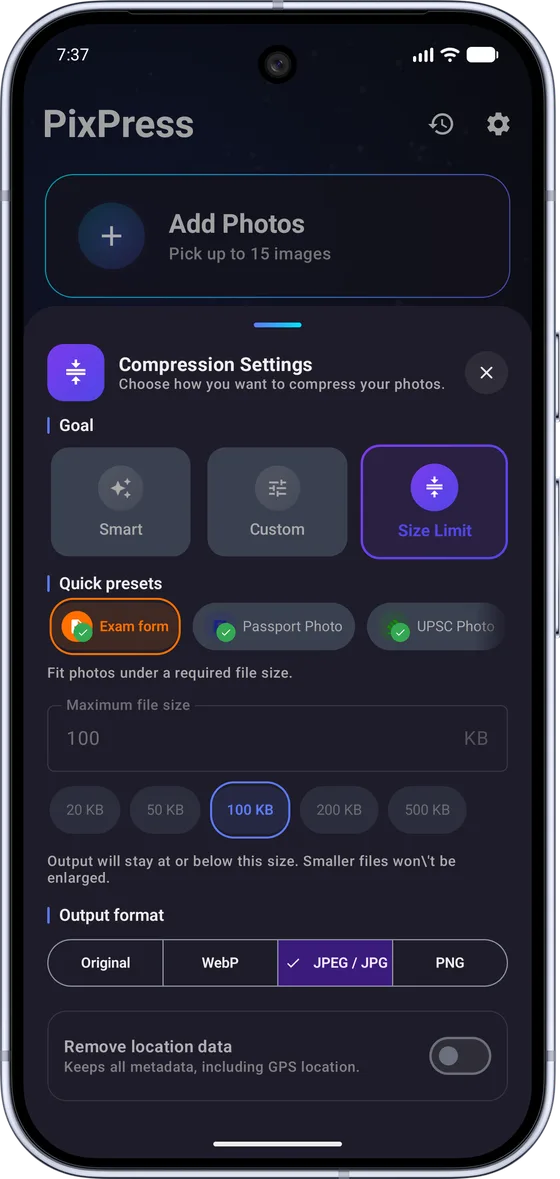
- In Compression Settings, open Quick presets and choose Email. It resizes each photo to 1280 pixels on its longest side and saves it as JPEG, which looks sharp on a phone or computer screen.
- Tap Compress and check the result with Compare.
- Tap Share and choose your email app, or tap Save All and attach the photos from your gallery later.
When there is a size limit per photo
If a website or form says each photo must be under a certain size, choose Size Limit and type that maximum, for example 500 KB. PixPress keeps each photo at or below it, and leaves photos that are already under the limit as they are. The same works for a whole email: at about 750 KB per photo, 20 photos stay well under Gmail's 25 MB limit.
Tips
- Documents: for photos of certificates, invoices or payslips, use the Document preset instead. It keeps more detail so text and numbers stay readable.
- Many photos: PixPress can combine compressed photos into one PDF, which is easier to attach and open than a long list of images.
- Privacy: PixPress removes the GPS location from compressed photos by default, so the photos you email do not reveal where they were taken.
Common questions
Why does Gmail send my photos as a Drive link?
Gmail allows up to 25 MB of attachments in one email. Anything larger is uploaded to Google Drive and sent as a link. Compressing the photos first keeps them small enough to attach directly.
Will the photos look blurry?
No, not on a screen. The Email preset keeps photos at 1280 pixels on the longest side, which looks sharp on phones and computers. For large prints, send the original photos instead.
Is PixPress free for this?
Yes. PixPress is free for up to 25 photos at a time, including Size Limit and all presets. It is supported by ads, with an optional Pro subscription for batches of up to 200 photos and an ad-free experience.
Are my photos uploaded?
No. PixPress compresses photos on your phone and does not upload your selected photos to PixPress servers. Compression works offline.
More guides
- How to compress photos on Android
Shrink photos in batches to save phone storage or share them faster.
- How to resize a signature for an online form
Crop, resize and compress a scanned signature to fit a form's size limit.
- How to compress a photo to 20 KB
Get a photo or signature under 20 KB with the right preset.