
Size Limit
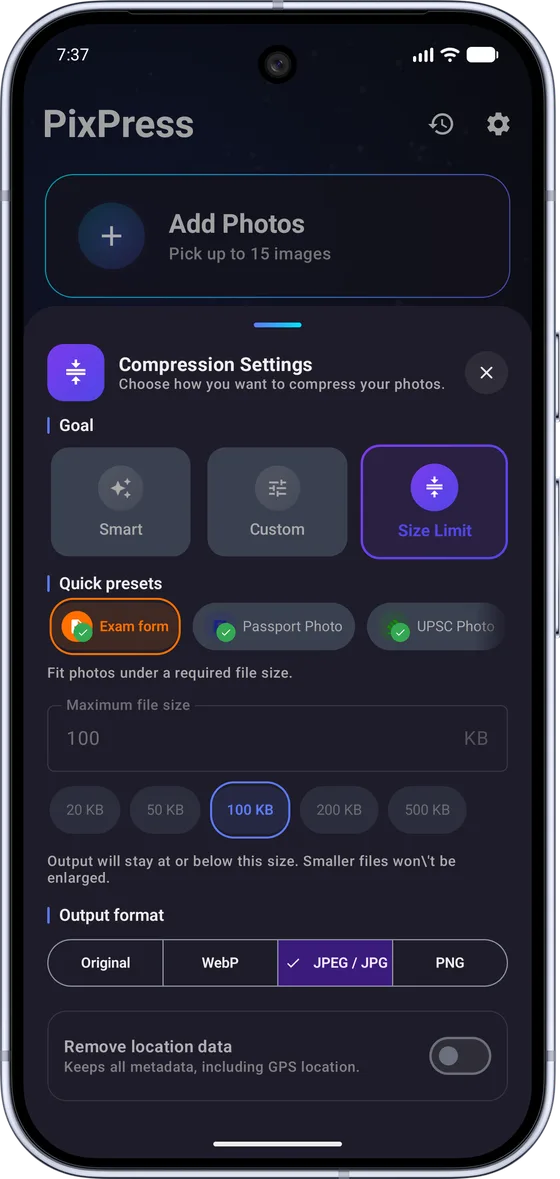
Meet KB upload limitsSet a maximum file size from 10 to 5,000 KB. PixPress keeps the photo at or below it, and tells you if a photo can't get there.
Reduce photo size to save storage, or fit images under a KB upload limit. Compression happens on your Android device, not on a PixPress server.
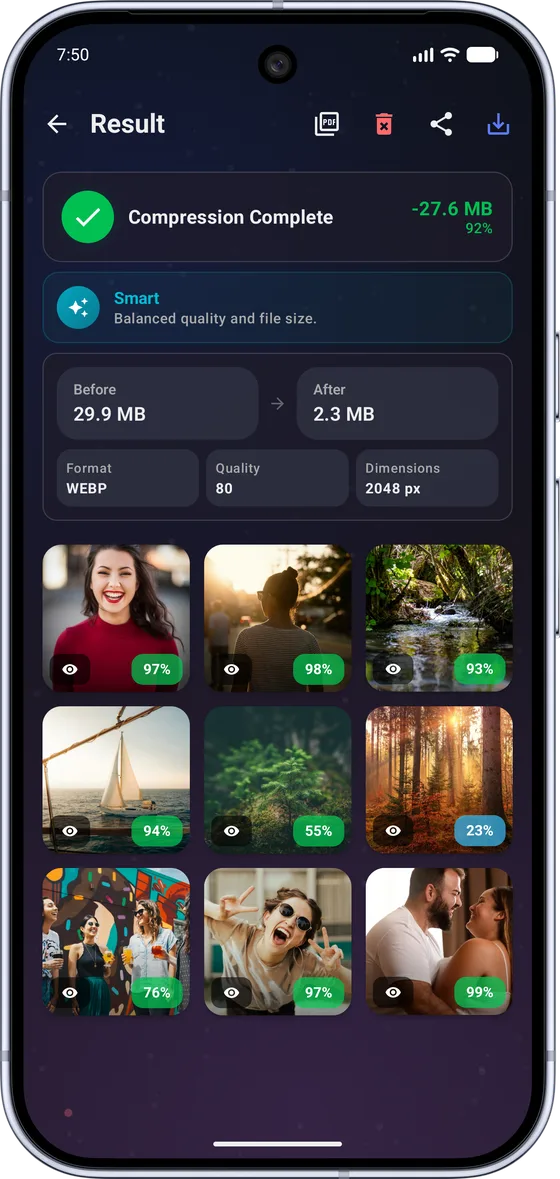
Keep old trips, family photos and memories while using less space.
Fit photos under 20 KB, 50 KB, 100 KB or another maximum size.
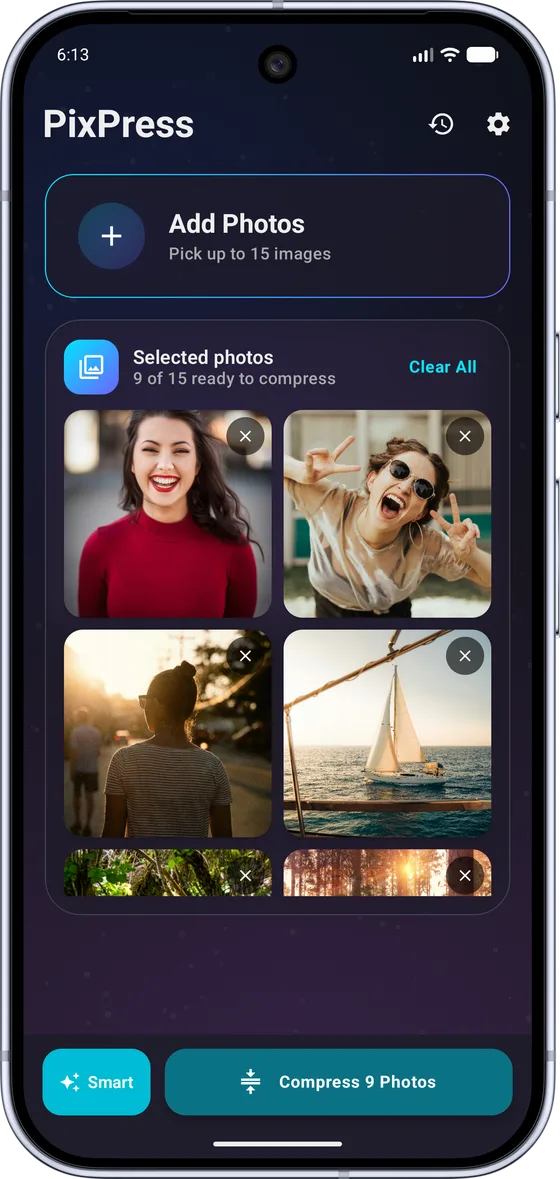
Choose one photo or many from your gallery or files, or take a new one with the camera.
Pick Smart, Custom or Size Limit, or start from a preset for a popular app or form.
PixPress automatically adjusts compression until the photo fits under your selected limit. Then save or share it.
Real screenshots, not mockups.
Every batch ends with a summary: total size saved, percentage reduction and a per-photo breakdown.
Set a maximum file size from 10 to 5,000 KB. PixPress keeps the photo at or below it, and tells you if a photo can't get there.
Compress many photos in one pass to the same size limit or preset, instead of one at a time.
Smart mode tries JPEG and WebP and keeps whichever comes out smaller, so you don't need to know formats.
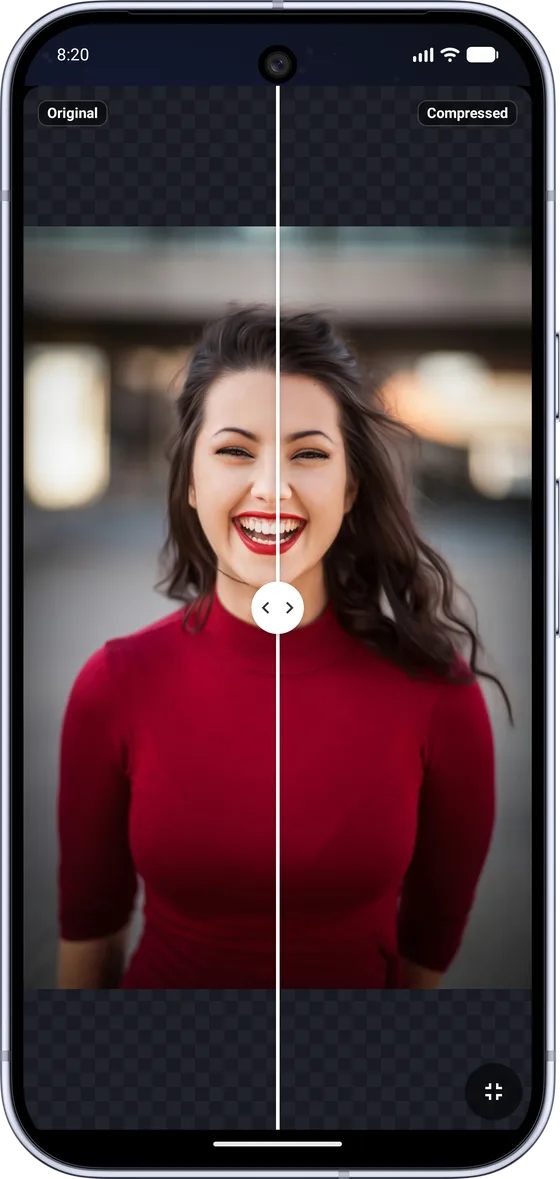
Drag a fullscreen slider to compare the original and compressed photo before you save or share.
Remove GPS location or all EXIF metadata before you save or share a photo.
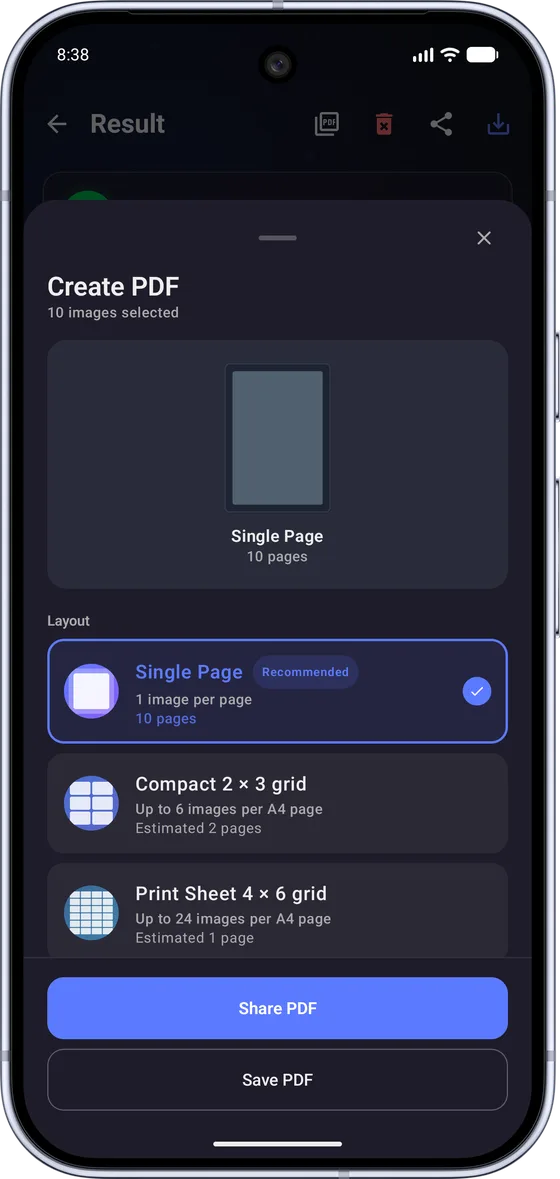
Combine results into one PDF as a single page, a 2 × 3 grid or a 4 × 6 print sheet.
PixPress does not upload your selected photos to PixPress servers for compression, and you do not need an account to use the app.
PixPress uses ads, analytics, crash reporting and purchase services to stay free and working. They do not receive your photo contents. Details are in the privacy policy.
Compressing a photo does not need an internet connection.
Save storage, prepare uploads, or make photos easier to share.
PixPress is an independent app and is not affiliated with or endorsed by UPSC, SSC, IBPS, any exam board, recruitment board, passport authority or government agency. Always confirm the latest photo requirements on the official portal you're uploading to.
Open PixPress, select photos from your gallery (up to 25 at a time for free, or up to 200 with Pro) and run Smart or Size Limit mode to shrink them in one batch. You get the same photos at a smaller size. Once you have checked that they look right, you can delete the larger originals to reclaim the space.
For a photo, choose Size Limit and pick the ID Photo preset: it resizes the photo to 600 pixels and keeps it at or below 15 KB. For a signature, use Exam Signature. Typing 20 KB yourself works for images that are already small; a full-size camera photo is often too large to reach 20 KB that way. See the step-by-step guide to compressing a photo to 20 KB.
Yes. In Size Limit mode you can enter any maximum from 10 KB to 5,000 KB. PixPress keeps the photo at or below that limit. If a photo is already under your limit, PixPress keeps it as it is.
PixPress compresses photos locally on your device and does not upload your selected photos to PixPress servers. The app does use the internet for ads, analytics, crash reports, app configuration, purchases and update checks, but PixPress does not send your photo contents to those services. If you share a file, it goes to the app you choose. See the privacy policy for details.
Yes, compression works offline. You only need a connection for things like ads, purchases, app configuration and update checks.
Yes, PixPress is free to download from Google Play. It is supported by ads, with an optional Pro subscription and rewarded-ad credits for extras such as larger batches, PNG output and an ad-free experience.
PixPress opens JPG, PNG and WebP photos, plus HEIC on Android 9 and newer. Output can be JPEG or WebP, and PNG when you need lossless or transparent images (a Pro feature; PNG is not available in Size Limit mode). Smart mode tries JPEG and WebP and keeps whichever is smaller.
No. PixPress is an independent photo compression app. It is not affiliated with or endorsed by any government entity, exam board, recruitment board, passport authority or public agency, and it does not submit applications or guarantee acceptance on any upload portal. Requirements change, so always check the latest rules on the official website you are applying through.
Not yet. PixPress is currently available for Android only, via Google Play.
PixPress is free to download on Google Play.
GET IT ON Google Play